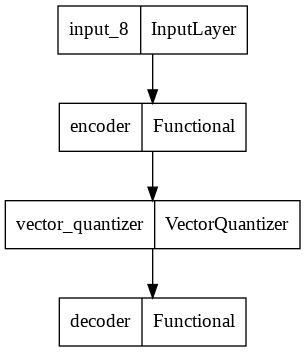
Instructions to use buio/vq-vae with libraries, inference providers, notebooks, and local apps. Follow these links to get started.
- Libraries
- Keras
How to use buio/vq-vae with Keras:
# !pip install -U keras tensorflow huggingface_hub # Keras needs TensorFlow installed to read "hf://" paths, so the tensorflow backend is selected here; # "jax" and "torch" also work for computation once TensorFlow is installed. import os os.environ["KERAS_BACKEND"] = "tensorflow" import keras model = keras.saving.load_model("hf://buio/vq-vae") - Notebooks
- Google Colab
- Kaggle
Download model.png from buio/vq-vae: direct link, hf CLI and curl.
- Browser
- Download file 10.5 kB
-
https://huggingface.co/buio/vq-vae/resolve/main/model.png
- Command line
-
hf download hf://buio/vq-vae/model.png
-
curl -L -o model.png https://huggingface.co/buio/vq-vae/resolve/main/model.png
10.5 kB

- Xet hash:
- 63050d1ab7a991ae5b656cb10dfb23c2cbd3c829576d961b166fdc014bedf9f7
- Size of remote file:
- 10.5 kB
- SHA256:
- 541c085396bf31ae331099a64418a87546803323532366ef43a3570176a77440
·
Xet efficiently stores Large Files inside Git, intelligently splitting files into unique chunks and accelerating uploads and downloads. More info.